
Import contacts in bulk
Follow Upload → Preview → Import → Success, checking Excel fields and groups before submission.
Platform checked: 2026-11-12 · Guide updated: 2026-11-13Steps have been checked against the live platform. Screenshots are cropped to protect account and customer data.
Before you start
- Use only contact data you are authorised to process for the intended communications.
- Use the Excel template downloaded from the platform and keep its column names.
Step-by-step instructions
- 01
Download the template
Open Contact Management → Contact → Import and select Download Template. The inspected template contains name, email, phone, first_name and last_name. Use the current download if your account has extra fields.
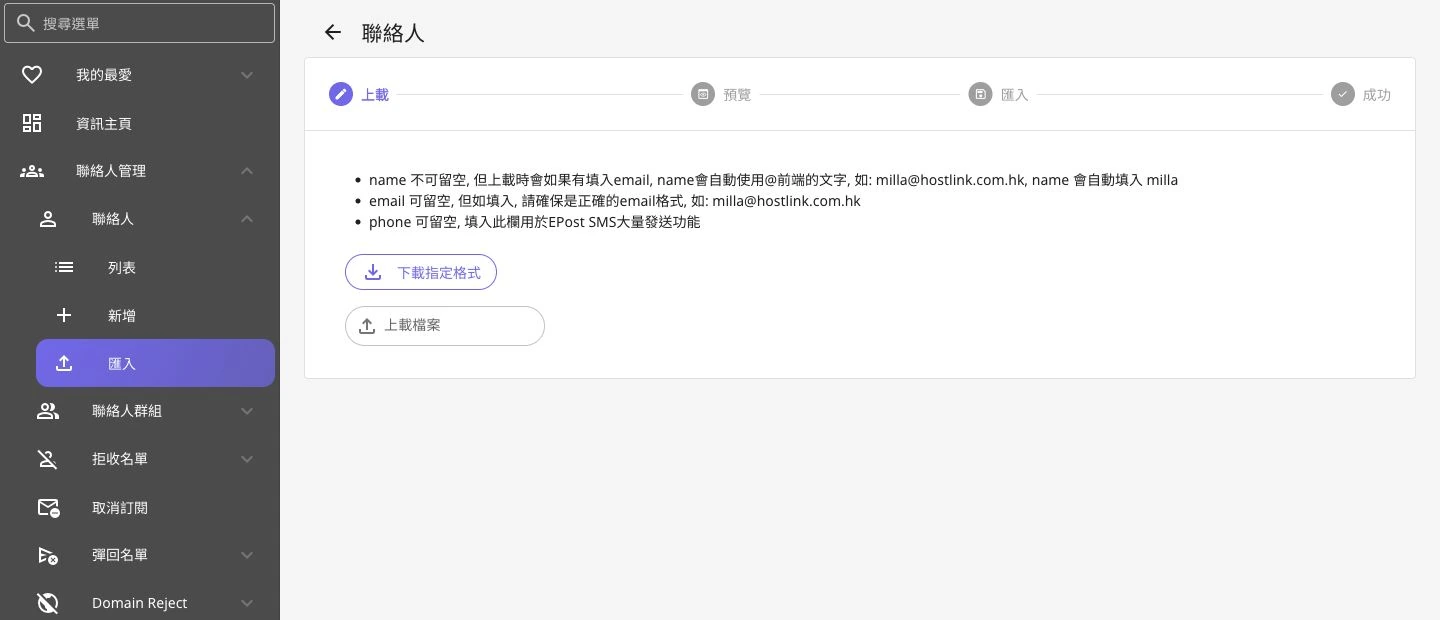 Open full-size screenshot
Contact import format guidance and file selection - 02
Prepare and upload Excel
Do not leave name empty. The platform notes that it can use the email prefix before @ when name is blank. Any email entered must be valid; EDM contacts should have a usable address. Select Upload File after preparing Excel.
- 03
Check Preview and the group
In Preview, choose Use Existing Contact Group or Create New Contact Group. Select the intended group and check the NAME, EMAIL, PHONE, FIRST_NAME and LAST_NAME preview.
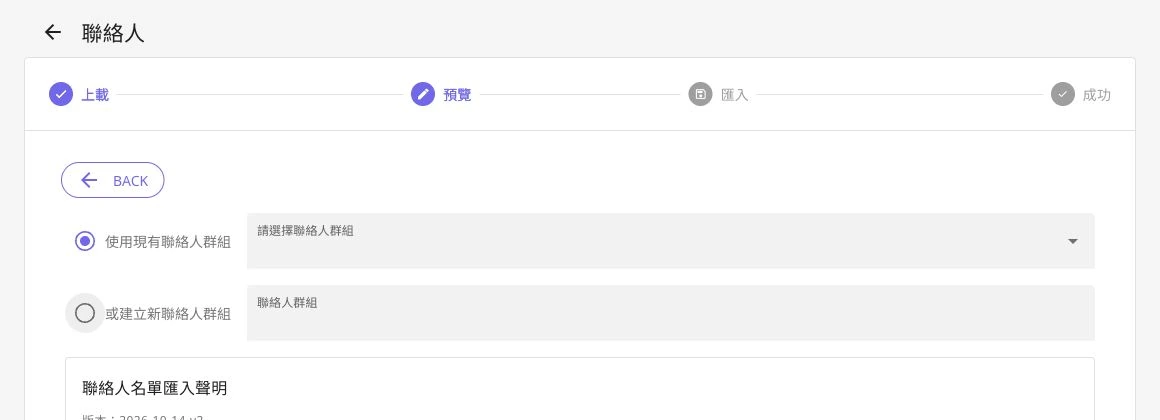 Open full-size screenshot
Existing or new group selection in import Preview - 04
Review the import declaration
Preview includes the Contact List Import Declaration. The account holder must review the data source, authority to use it and consent records, and only then choose to agree and select NEXT.
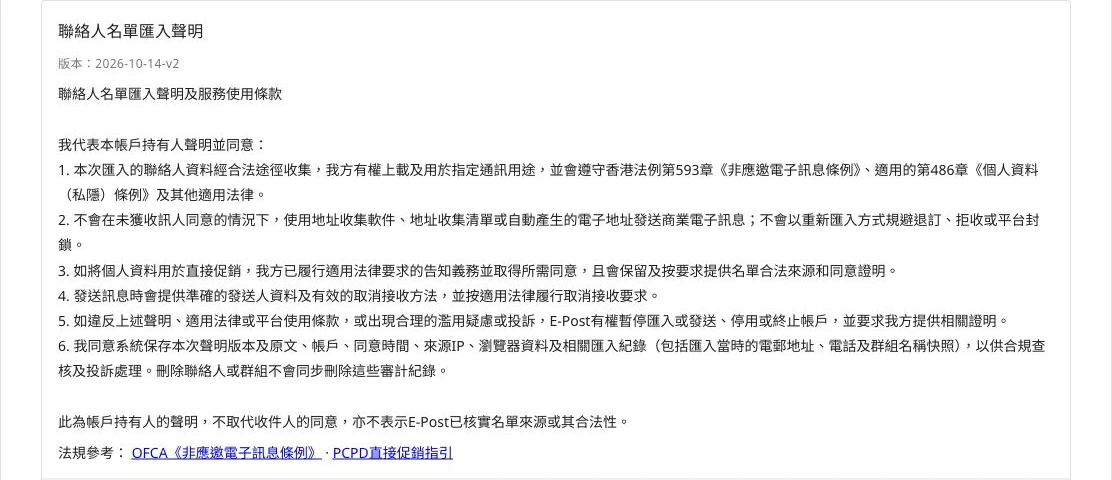 Open full-size screenshot
Import declaration for the account holder to review and confirm - 05
Perform the final check
Review the data and target group in the next import step before using the displayed submission control. Treat the operation as complete only after a success result, not merely after uploading a file.
Notes and troubleshooting
- The example uses demo@example.invalid. No import was committed and no declaration was accepted on the account's behalf.
Need a little more help?
Tell us what you're experiencing.